Smart Home Monitoring Guide: Sensors and Alerts
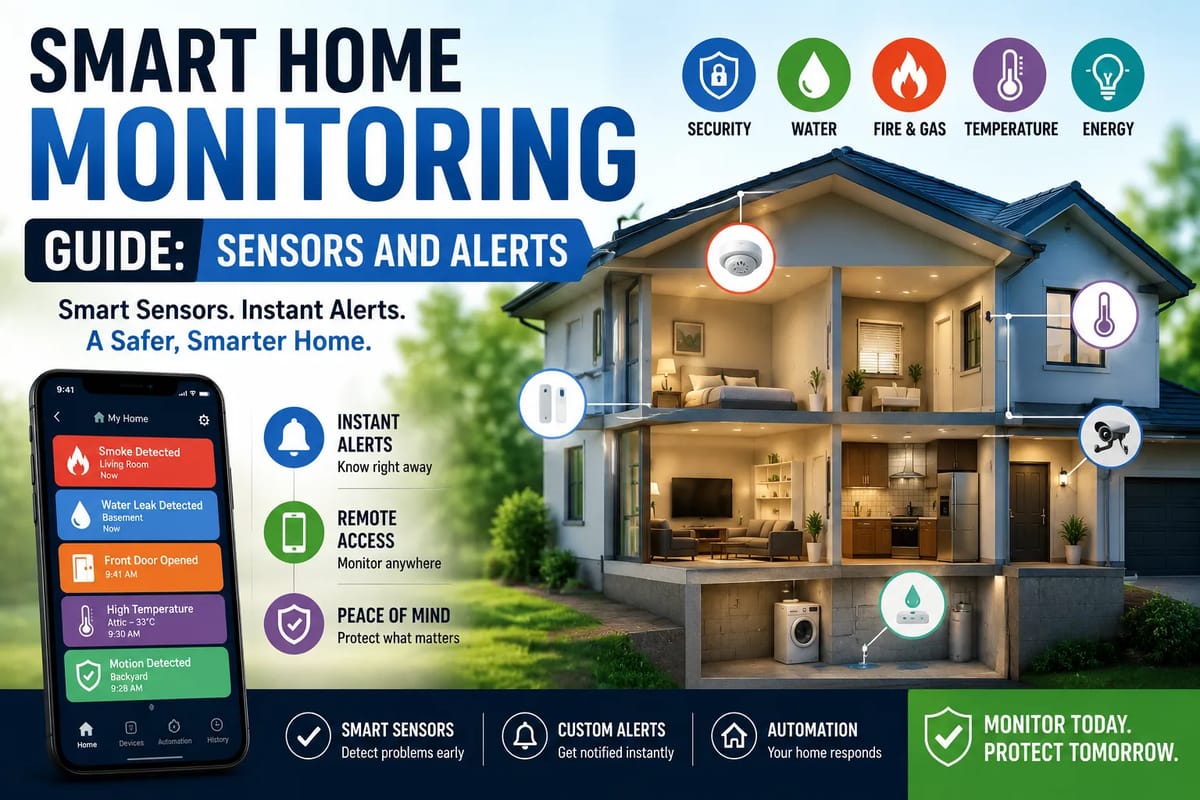
Smart Home Monitoring Guide: Sensors and Alerts
A smart home is more than a collection of connected lights, cameras and voice assistants. At its most useful, a smart home can quietly monitor what’s happening around the property and alert you when something requires attention.
That monitoring capability comes from sensors.
A door sensor can tell you when an entrance opens. A water sensor can warn about a leak before it becomes a major problem. A smoke or carbon-monoxide detector can provide an early warning of danger. Motion sensors can help with security and automation, while temperature and humidity sensors can reveal conditions that affect comfort and energy use.
The real value comes from combining these sensors with smart alerts and sensible automation.
Instead of constantly checking an app, homeowners can receive notifications when something unusual happens—and, in some cases, have the home respond automatically.
This smart home monitoring guide explains the major types of sensors, how alerts work, where to install monitoring devices, how to reduce false alarms, and how to build a system that is useful without becoming overwhelming. It also fits into the broader complete guide to smart homes, which covers how the different parts of a connected home work together.
Safety note: Smart-home devices can supplement household safety systems, but they should not automatically be treated as replacements for professionally installed or code-compliant life-safety equipment. Follow local requirements and the manufacturer’s installation instructions for smoke, carbon-monoxide, security and other critical devices.
What Is Smart Home Monitoring?
Smart home monitoring is the use of connected sensors and devices to observe conditions around a home and communicate meaningful changes to the homeowner.
A basic system might monitor:
- Doors and windows
- Motion
- Temperature
- Humidity
- Water leaks
- Smoke
- Carbon monoxide
- Air quality
- Energy consumption
- Power status
- Garage doors
- Appliance activity
When a sensor detects a predefined event, the system can generate an alert.
For example:
Water detected under the washing machine → phone notification → homeowner checks the laundry area → water supply is shut off before major damage occurs.
The goal isn’t to monitor everything constantly.
The goal is to identify events that matter.
How a Smart Monitoring System Works
Most smart monitoring systems have several basic components.
1. Sensor
The sensor detects a physical condition or change.
2. Communication
The sensor sends information through a wireless or wired connection.
3. Hub, Controller or Platform
The information is processed by a smart-home hub, compatible app, local controller or cloud service.
4. Automation Rules
The system determines what should happen when a condition is detected.
5. Alert
The homeowner receives a notification, sound, message or other warning.
A simple example might look like:
Door opens → sensor detects opening → system checks time → sends alert if nobody should be entering.
More advanced systems can combine multiple conditions:
Motion detected + door opened + home marked “away” → security alert.
This type of logic can make a smart home significantly more useful than a collection of disconnected gadgets.
Why Sensors Matter
Without sensors, a smart home mostly reacts to commands.
With sensors, it can respond to what’s actually happening.
For example:
Without a sensor:
“Turn on the hallway light.”
With a sensor:
“Someone entered the hallway, so turn on the light automatically.”
The second approach requires less interaction from the homeowner.
Sensors effectively give a smart home a way to observe its environment.
The Most Important Smart Home Sensors
There are dozens of specialized sensors, but most residential monitoring systems can be built around a relatively small group.
Door and Window Sensors
Door and window sensors are among the simplest and most useful smart-home devices.
They typically consist of two pieces:
- A sensor attached to the door or window
- A magnet or corresponding component attached to the frame
When the door or window opens, the two components separate and the system detects the change.
Common uses
- Security alerts
- Entry notifications
- Automation
- Occupancy awareness
- Energy-saving routines
For example, a smart thermostat could potentially respond when a window is left open, depending on the platform and compatible devices.
For a broader look at how connected entry points fit into home protection, see the Complete Guide to Smart Home Access Control.
Motion Sensors
Motion sensors detect movement within an area.
Many residential devices use passive infrared (PIR) technology to detect changes associated with moving people or objects.
Motion sensors can be useful for:
- Security
- Automatic lighting
- Occupancy detection
- Energy management
- Nighttime pathways
- Activity monitoring
A hallway motion sensor could turn on a low-level light when someone walks through at night.
A security system could send an alert when motion is detected while the property is marked as vacant.
Presence Sensors
Presence detection is different from basic motion detection.
A motion sensor may stop detecting movement when someone sits still.
A presence sensor is designed to determine that someone remains in an area even when they aren’t moving much.
Depending on the device, presence detection can use technologies such as:
- Radar
- Millimeter-wave sensing
- Other environmental detection methods
This can be useful in rooms where people sit relatively still for long periods.
Temperature Sensors
Temperature sensors measure the temperature of an environment.
They can help with:
- HVAC automation
- Comfort monitoring
- Energy management
- Equipment protection
- Freeze warnings
- Room-by-room temperature awareness
A temperature sensor in a basement, for example, could alert you if conditions become unusually cold.
A sensor in a nursery, office or bedroom could provide more localized information than a thermostat installed elsewhere.
For more on using connected heating and cooling equipment to manage household comfort, see the Complete Guide to Smart Home Climate Control.
Humidity Sensors
Humidity affects comfort, building materials and indoor air quality.
Excessive humidity can contribute to condensation and create conditions favorable to mold growth.
Very low humidity can also cause discomfort and affect certain materials.
A smart humidity sensor can alert you when levels move outside a preferred range.
It can also work with ventilation or HVAC systems where supported.
Water Leak Sensors
Water sensors can be among the most valuable devices in a smart home.
A small sensor placed near a potential leak source can detect water before a homeowner notices it.
Useful locations include:
- Under sinks
- Near washing machines
- Beside water heaters
- Near dishwashers
- In basements
- Around toilets
- Near sump pumps
- Under refrigerators with water connections
A typical automation might be:
Water detected → immediate phone alert.
More advanced systems can potentially trigger a compatible shutoff valve.
Smart Water Shutoff Valves
A water shutoff system can go beyond detecting a leak.
If compatible equipment detects abnormal water activity, it may automatically shut off the home’s main water supply.
This can potentially reduce damage from certain plumbing failures.
However, automated shutoff systems should be installed and configured carefully.
A false trigger that cuts water unexpectedly can be inconvenient, while failure to detect a leak can create a false sense of security.
Smoke and Fire Detection
Smoke alarms are among the most important safety devices in any home.
Some modern smoke alarms offer connected features that can send alerts to smartphones or communicate with other smart-home devices.
However, homeowners should not replace required smoke alarms simply because a general-purpose smart-home platform offers another type of sensor.
Follow local fire-safety requirements and the manufacturer’s instructions.
Smart connectivity is most useful when it adds another layer of awareness.
Carbon Monoxide Sensors
Carbon monoxide is an invisible, odorless gas that can be produced by fuel-burning appliances and other sources.
A connected carbon-monoxide detector can provide an alert locally and, depending on the system, remotely.
This can be particularly useful when you’re away from home.
As with smoke detection, use approved life-safety equipment appropriate for your location rather than relying solely on a generic smart-home sensor.
Air Quality Sensors
Indoor air-quality sensors can monitor conditions such as:
- Particulate matter
- Carbon dioxide
- Volatile organic compounds
- Temperature
- Humidity
The exact measurements depend on the device.
Air-quality monitoring can help identify patterns associated with:
- Cooking
- Poor ventilation
- Outdoor pollution
- Cleaning products
- Crowded rooms
- High humidity
The most useful role of these sensors is often trend detection rather than treating a single reading as a diagnosis of indoor health.
Light Sensors
Light sensors detect ambient brightness.
They can be used to automate:
- Outdoor lighting
- Blinds
- Interior lights
- Security routines
- Energy-saving schedules
For example:
Low outdoor light + sunset → turn on exterior lights.
This can be more reliable than using a fixed clock schedule throughout the year.
Light sensors can also complement broader smart home lighting systems by allowing lighting automation to respond to actual environmental conditions.
Sound Sensors
Some smart devices can detect specific acoustic events or changes in sound.
Depending on the system, this may include detection of:
- Alarms
- Glass breaking
- Unusual noises
- Specific household sounds
However, sound monitoring raises significant privacy considerations.
A homeowner should understand exactly what the device detects, processes and stores before enabling audio-related monitoring.
Vibration and Tilt Sensors
Vibration sensors can detect movement or physical disturbance.
Tilt sensors can detect changes in orientation.
Potential applications include:
- Garage doors
- Gates
- Windows
- Equipment
- Cabinets
- Storage areas
For example, a tilt sensor could help determine whether a garage door has been left open.
Energy Monitoring Sensors
Energy monitors can track electricity consumption at the appliance, circuit or whole-home level, depending on the system.
They can help answer questions such as:
- Which appliances use the most electricity?
- When is household consumption highest?
- Did an appliance remain switched on?
- Has energy use changed significantly?
- Is a device behaving unusually?
Energy monitoring can turn vague assumptions about electricity consumption into measurable information.
Appliance Sensors
Not every appliance needs to be replaced with a smart appliance.
A sensor or smart plug can sometimes provide useful information about whether an appliance is operating.
Examples include:
- Freezers
- Washing machines
- Fans
- Lamps
- Space heaters
- Coffee makers
However, high-power appliances should only be connected to devices rated appropriately for their electrical load.
Garage Door Sensors
Garage doors are particularly useful candidates for smart monitoring.
A sensor can tell you whether the door is:
- Open
- Closed
- Open for too long
- Open at an unusual time
A homeowner could receive an alert if the garage remains open after a certain hour.
Refrigerator and Freezer Monitoring
A temperature sensor inside a refrigerator or freezer can provide an early warning when temperatures rise unexpectedly.
Potential causes include:
- Power failure
- Door left open
- Appliance malfunction
- Excessive heat
- Mechanical failure
An alert can give you an opportunity to respond before food is unnecessarily lost.
Power and Outage Monitoring
Some smart-home systems can detect power interruptions.
This can be particularly useful for:
- Security systems
- Network equipment
- Freezers
- Sump pumps
- Medical equipment where appropriate
- Home offices
A power-loss notification can be especially valuable when you’re away.
How Smart Home Alerts Work
A sensor alone doesn’t necessarily make a monitoring system useful.
The alert system determines how information reaches you.
Common alert types include:
- Smartphone notifications
- Push alerts
- Text messages
- Emails
- Audible alarms
- Smart-speaker announcements
- Lights
- Automated phone calls through compatible services
Different situations require different levels of urgency.
Not Every Alert Should Be a Phone Notification
If every small event generates a notification, homeowners quickly learn to ignore them.
This is known as alert fatigue.
For example, receiving notifications every time someone opens the front door may become annoying if the event is completely normal.
A better approach is to distinguish between:
Informational Events
“Kitchen window opened.”
Important Events
“Garage door has been open for 30 minutes.”
Urgent Events
“Water detected near water heater.”
Emergency Events
“Smoke alarm activated.”
Different events deserve different responses.
Smart Alert Priorities
A useful alert system can be organized into three broad levels.
Level 1: Informational
These don’t require immediate action.
Examples:
- Bedroom temperature changed
- Front door opened during the day
- Lights switched on
These can often be logged without generating a notification.
Level 2: Attention Required
These deserve a notification.
Examples:
- Garage door left open
- Freezer temperature rising
- Window open while air conditioning is running
Level 3: Urgent
These should generate prominent alerts.
Examples:
- Smoke detected
- Carbon monoxide alarm
- Significant water leak
- Security event while the home is vacant
How to Reduce False Alerts
False alarms are one of the biggest problems with poorly configured smart-home systems.
Common causes include:
- Pets triggering motion sensors
- Doors being opened normally
- Poor sensor placement
- Temporary temperature changes
- Weak wireless connections
- Incorrect automation rules
- Sensors installed too close to heat sources
The solution isn’t necessarily to disable alerts.
Instead, improve the logic.
Use Time-Based Conditions
A door opening at 8 a.m. may be normal.
The same door opening at 3 a.m. could deserve attention.
Instead of:
Door opens → alert
use:
Door opens between midnight and 5 a.m. → alert
Context makes alerts more useful.
Use Presence Conditions
A smart home can sometimes determine whether household members are present.
For example:
Door opens + nobody home → security notification.
This can reduce unnecessary alerts when normal household activity occurs.
Presence detection isn’t perfect, however, and should not be treated as a guaranteed security measure.
Combine Multiple Sensors
One sensor can produce ambiguous information.
Several sensors can create a more useful picture.
For example:
Front door opens + motion detected inside + home is marked “away” → higher-priority security alert.
This is often more meaningful than a single motion event.
For a broader explanation of connected cameras and doorbells as part of a security setup, see the Smart Cameras and Video Doorbells Explained guide.
Add Delays Where Appropriate
Not every event requires an immediate notification.
For example:
Garage open for more than 10 minutes → notification.
This avoids alerts every time someone briefly opens the garage.
However, delays should not be used for critical life-safety events where immediate warning is appropriate.
Set Quiet Hours Carefully
Smart-home alerts should respect your schedule.
You may not need notifications for minor events overnight.
But don’t silence critical alerts simply to avoid being disturbed.
A good system separates:
- Alerts that can wait
- Alerts that should wake you
- Alerts that trigger local alarms regardless of phone settings
Where Should Sensors Be Installed?
Sensor placement can have a major impact on performance.
Consider both what you want to detect and what might interfere with detection.
Door Sensor Placement
Install the sensor and magnet so they align when the door is closed.
Check the manufacturer’s recommended gap.
Avoid positioning components where:
- They can be easily knocked loose
- The door flexes significantly
- The sensor interferes with normal operation
Test the sensor after installation.
Motion Sensor Placement
Motion sensors generally work best when positioned to detect movement across the sensor’s field rather than directly toward it, depending on the technology used.
Avoid locations where normal environmental changes constantly trigger detection.
Potential problems include:
- Direct sunlight
- Heat sources
- HVAC airflow
- Moving curtains
- Pets
- Poor mounting angles
Always follow the specific device’s installation instructions.
Water Sensor Placement
Water sensors should be installed at the lowest practical point where water is likely to collect.
Good locations include:
- Under appliances
- Near pipes
- Near water heaters
- Near washing machines
Don’t hide the sensor so thoroughly that you can’t easily access or test it.
Temperature Sensor Placement
Avoid placing temperature sensors:
- Directly above heaters
- In direct sunlight
- Immediately beside air vents
- Against hot appliances
Otherwise, the reading may represent the local heat source rather than the room itself.
Humidity Sensor Placement
Place humidity sensors in representative areas.
Bathrooms, basements and kitchens may require different monitoring strategies.
Avoid putting the sensor directly where steam or water droplets will hit it unless it is designed for that environment.
Outdoor Sensors Need Special Consideration
Outdoor devices face:
- Rain
- Dust
- Sun
- Temperature swings
- Insects
- Condensation
Make sure the sensor is rated for outdoor use.
An indoor-rated device should not automatically be assumed to be safe outdoors.
Smart Home Connectivity
Sensors need a reliable way to communicate.
Depending on the product, they may use technologies such as:
- Wi-Fi
- Bluetooth
- Zigbee
- Z-Wave
- Thread
- Other proprietary or manufacturer-specific protocols
The best option depends on your home and the devices you plan to connect.
For a deeper explanation of the network infrastructure that keeps connected devices communicating, see the Complete Guide to Smart Home Networking.
The communication technology itself can also affect reliability, range, battery life and interoperability, which is why understanding smart home protocols can be useful before choosing sensors.
Wi-Fi Sensors
Wi-Fi devices can be convenient because many homes already have a Wi-Fi network.
Advantages can include:
- Familiar setup
- Direct internet connectivity
- High bandwidth for some devices
Potential disadvantages include:
- Battery consumption
- Network congestion
- Dependence on the home’s Wi-Fi infrastructure
A battery-powered sensor sending tiny amounts of information doesn’t necessarily need the same type of connection as a security camera.
Zigbee and Z-Wave
Zigbee and Z-Wave are commonly associated with low-power smart-home devices.
They can be useful for:
- Door sensors
- Motion sensors
- Temperature sensors
- Smart switches
Many systems use a hub or controller to connect these devices to the wider smart-home ecosystem.
Thread and Matter
Newer smart-home ecosystems increasingly use Thread for low-power networking and Matter as an interoperability standard.
These technologies are designed to make smart-home devices work more consistently across supported ecosystems.
However, compatibility still depends on the exact device, controller and features involved.
Before purchasing, check whether the products you want support the same ecosystem and required features.
What Happens When the Internet Goes Down?
This is an important question to ask before building a monitoring system.
Some smart-home functions can continue locally when the internet is unavailable.
Others depend heavily on cloud services.
For example, a sensor might still communicate with a local hub even if the internet connection fails, while remote smartphone notifications may not work.
This leads to an important principle:
Local automation and remote monitoring are not necessarily the same thing.
Why Local Control Matters
A system capable of processing important events locally can potentially continue performing certain functions during an internet outage.
This may be especially important for:
- Security
- Lighting
- Door sensors
- Water detection
- Heating and cooling automation
When evaluating a system, ask:
What still works if the internet disappears?
Battery Life Matters
Many smart sensors are battery powered.
A sensor with a dead battery is effectively a missing sensor.
Good monitoring systems should make it easy to:
- Check battery levels
- Receive low-battery warnings
- Replace batteries
- Access the sensor
Don’t install sensors in inaccessible locations without a practical maintenance plan.
How Often Should Smart Sensors Be Tested?
Testing should be part of routine home maintenance.
For critical devices, follow the manufacturer’s testing schedule and local safety requirements.
For general monitoring sensors, periodically verify that:
- The sensor still communicates
- Alerts still arrive
- Batteries aren’t depleted
- Automations still work
- The device hasn’t moved
- Firmware and software remain supported
A system you never test is a system you can’t confidently rely on.
Smart Home Security and Privacy
Monitoring your home also means collecting information about your home.
That creates privacy considerations.
Sensors can reveal:
- When people are home
- When doors open
- Sleeping patterns
- Household routines
- Temperature patterns
- Energy use
- Appliance activity
Cameras and microphones can collect even more sensitive information.
Before installing connected monitoring devices, understand:
- What information is collected
- Where it is processed
- Whether data is stored
- How long it is retained
- Who can access it
- Whether accounts support strong authentication
- What happens when the product reaches end of life
For a broader look at protecting connected devices and the property they monitor, see the Smart Home Security Guide.
Secure Your Smart Home Accounts
A smart sensor may seem harmless, but the account controlling it can provide access to your home data.
Use:
- Strong, unique passwords
- Multi-factor authentication where available
- Updated software
- Separate accounts when appropriate
- Secure home Wi-Fi
- Device access controls
Avoid sharing your primary smart-home credentials unnecessarily.
Keep Firmware Updated
Manufacturers sometimes release updates that address:
- Security vulnerabilities
- Reliability problems
- Compatibility issues
- Performance problems
- New features
Keeping devices updated is therefore part of maintaining a smart-home system.
Before buying a device, it’s also worth checking whether the manufacturer has a good history of supporting products after purchase.
Cloud Dependence Is Worth Checking Before You Buy
A device may work beautifully today but become less useful if a manufacturer discontinues cloud services.
Before investing heavily in one ecosystem, consider:
- Does the device work locally?
- Does it require a subscription?
- What happens if the company discontinues the service?
- Can the device be integrated with other platforms?
- Are replacement products available?
This is particularly important for homeowners building systems that they expect to use for many years.
Smart Alerts for Common Household Problems
A well-designed system can address everyday problems.
Water Leak
Sensor: Water detector
Alert: Immediate notification
Optional action: Shutoff valve
Garage Door
Sensor: Door or tilt sensor
Alert: Notify if open after a certain time
Optional action: Close automatically if supported
Freezer
Sensor: Temperature sensor
Alert: Temperature exceeds safe threshold
Window
Sensor: Contact sensor
Alert: Notify if window remains open while cooling is active
Basement
Sensor: Water + temperature + humidity
Alert: Notify when abnormal conditions are detected
This illustrates an important principle:
One sensor can be useful. Several coordinated sensors can be much more powerful.
Building a Smart Monitoring System Step by Step
You don’t need to install dozens of sensors at once.
Start with the areas where a problem would have the greatest consequences.
Step 1: Identify Your Biggest Risks
Walk through the home and ask:
- Where could water cause damage?
- Which doors need monitoring?
- Where could extreme temperatures become a problem?
- Which areas are difficult to inspect regularly?
- What could happen while I’m away?
Step 2: Start With High-Value Sensors
For many homes, a sensible starting point might include:
- Water sensors
- Door/window sensors
- Smoke and carbon-monoxide protection
- Motion sensors
- Temperature sensors
The exact priorities depend on the property.
Step 3: Configure Meaningful Alerts
Don’t turn on every notification.
Create alerts around events that actually require action.
Step 4: Test Everything
Open the door.
Trigger the motion sensor.
Test the water detector.
Check whether the notification arrives.
Verify that automations work.
Step 5: Expand Gradually
Once the basic system works reliably, consider:
- Energy monitoring
- Air-quality monitoring
- Presence sensing
- Garage monitoring
- Appliance monitoring
- Automated water shutoff
Avoid the “Gadget Pile” Problem
A common smart-home mistake is buying devices first and thinking about the system afterward.
The result can be:
- Multiple apps
- Several hubs
- Duplicate sensors
- Conflicting automations
- Subscription fees
- Confusing notifications
Start with problems rather than products.
Ask:
What do I want the home to tell me?
Then choose the technology that answers that question.
Smart Home Monitoring on a Budget
You don’t need an expensive system to gain useful monitoring capabilities.
Prioritize potential high-cost problems.
For example:
First Priority
Water leaks and life-safety equipment.
Second Priority
Doors, windows and garage access.
Third Priority
Temperature and environmental monitoring.
Fourth Priority
Energy and convenience automation.
This approach can provide significant value without turning the house into a technology showroom.
Smart Home Monitoring for Renters
Renters can also use many types of sensors.
Portable options include:
- Battery-powered water sensors
- Contact sensors
- Motion sensors
- Temperature sensors
- Air-quality monitors
- Smart plugs
Avoid permanent modifications unless your landlord permits them.
Smart Home Monitoring for Vacation Properties
Monitoring can be particularly useful when a property is unoccupied.
Potential alerts include:
- Water detected
- Unexpected motion
- Door opened
- Temperature too low
- Temperature too high
- Power failure
- Garage opened
A remote notification can alert the owner to a problem before the next scheduled visit.
Smart Home Monitoring for Older Adults
Sensors can also support independent living in certain situations.
Possible uses include:
- Motion monitoring
- Door alerts
- Temperature monitoring
- Water detection
- Appliance activity
However, privacy and consent should remain central.
Monitoring someone without their knowledge can create serious ethical and personal concerns.
The objective should be support and safety, not surveillance for its own sake.
Smart Home Monitoring for Families
Families may benefit from sensors that reduce everyday household friction.
Examples include:
- Garage alerts
- Door notifications
- Temperature monitoring
- Appliance reminders
- Automatic lighting
But parents should also consider children’s privacy as connected devices become more common.
Common Smart Home Monitoring Mistakes
Installing Too Many Sensors
More sensors don’t automatically create a better system.
Creating Too Many Notifications
Notification overload makes important alerts easier to miss.
Ignoring Batteries
A dead sensor provides no protection.
Forgetting About Internet Outages
Know which functions operate locally.
Using Indoor Devices Outdoors
Check environmental ratings.
Ignoring Privacy
Understand what data connected devices collect.
Installing Sensors Without Testing
Always verify that an alert actually arrives.
Depending on One Technology
Critical safety should not depend entirely on a single smart-home ecosystem.
Smart Alerts vs. Traditional Alarms
Smart alerts and traditional alarms serve different purposes.
A traditional smoke alarm can produce a loud local warning even if the internet is unavailable.
A smart-connected version may add remote notification.
That’s an important distinction.
For critical hazards, local protection should remain functional even when connectivity fails.
Smart connectivity should add capability rather than eliminate fundamental safety measures.
What Should Trigger an Immediate Alert?
High-priority alerts should generally be reserved for events where delay could result in meaningful harm or property damage.
Examples include:
- Smoke detection
- Carbon monoxide detection
- Significant water detection
- Unexpected entry while away
- Extreme temperature affecting vulnerable areas
- Critical equipment failure
The exact configuration depends on your home and circumstances.
What Should Be Logged Instead?
Some events are useful to record without generating immediate notifications.
Examples include:
- Normal door openings
- Routine temperature changes
- Lights turning on
- Ordinary motion
- Regular appliance activity
Logs can help identify patterns without constantly interrupting your day.
Use Data to Identify Patterns
Smart-home monitoring becomes more valuable when you look beyond individual alerts.
Suppose a humidity sensor shows that your basement repeatedly becomes unusually humid after heavy rain.
That information could motivate you to investigate:
- Drainage
- Ventilation
- Waterproofing
- Plumbing
- Foundation issues
The sensor hasn’t solved the problem.
It has helped you discover a pattern early.
Smart Homes Are Moving From Reactive to Predictive
Traditional home monitoring is reactive:
Something happens → alert arrives.
More advanced systems can become predictive:
Several unusual signals appear → system identifies an emerging problem → homeowner receives an early warning.
For example, unusual temperature behavior combined with increased energy consumption could potentially indicate an appliance problem.
This kind of predictive monitoring will become more useful as sensors, automation platforms and data analysis improve.
However, homeowners should still treat automated predictions as warnings—not infallible diagnoses.
A Practical Smart Home Monitoring Blueprint
For a typical home, a balanced system might look like this:
| Area | Sensor | Useful Alert |
|---|---|---|
| Front door | Contact sensor | Unexpected opening |
| Windows | Contact sensor | Open while away |
| Hallway | Motion sensor | Unexpected movement |
| Kitchen | Water sensor | Leak detected |
| Laundry room | Water sensor | Water detected |
| Basement | Water + humidity sensor | Abnormal conditions |
| Garage | Door/tilt sensor | Door left open |
| Freezer | Temperature sensor | Temperature rising |
| Living room | Temperature sensor | Unusual temperature |
| Home network | Power/connectivity monitor | System offline |
This isn’t a universal formula.
The best configuration depends on the property’s layout, risks and occupants.
Smart Home Monitoring Checklist
Before installing a sensor, ask:
Purpose
- What problem does this sensor solve?
Location
- Is this the best place to detect the event?
Connectivity
- What happens if Wi-Fi or internet service fails?
Power
- How long will the battery last?
- Will I receive a low-battery warning?
Alerts
- Does this event actually require a notification?
Privacy
- What information does the device collect?
Security
- Is the account protected with strong authentication?
Maintenance
- How will I test the sensor?
Longevity
- Will the device remain supported?
If you can’t answer these questions, research the product further before installing it.
Frequently Asked Questions
What Are the Most Important Smart Home Sensors?
For many homes, useful starting points include water leak sensors, door/window sensors, motion sensors, temperature sensors and properly installed smoke and carbon-monoxide detectors. The right combination depends on the property’s risks.
Are Smart Home Sensors Worth It?
They can be, particularly when they address a specific problem such as water leaks, unexpected entry or temperature changes. Their value comes from preventing or detecting problems, not simply from adding more technology.
Do Smart Sensors Work Without Wi-Fi?
It depends on the device and system. Some sensors can communicate with a local hub even when internet service is unavailable, while others depend more heavily on cloud connectivity.
How Many Sensors Does a Smart Home Need?
There is no ideal number. Start with the areas where monitoring provides the greatest practical benefit and expand gradually.
Do Smart Sensors Use a Lot of Electricity?
Many small sensors are designed to consume very little power and can operate on batteries for extended periods. Devices with more active communication or processing may consume more.
Can Smart Sensors Prevent Water Damage?
A sensor cannot prevent every leak, but it can provide early warning. When combined with an appropriate automatic shutoff system, monitoring can potentially help limit damage.
Are Smart Home Sensors Secure?
Security varies by manufacturer, device and configuration. Use reputable products, strong passwords, multi-factor authentication where available, updated firmware and a secure home network.
Can Smart Sensors Be Hacked?
Like other connected devices, smart-home products can have security vulnerabilities. Reducing risk requires keeping software updated, securing accounts and choosing products from manufacturers that provide ongoing security support.
Do I Need a Smart Home Hub?
Not always. Some devices connect directly through Wi-Fi, while others require or work better with a dedicated hub or controller.
Can Smart Home Alerts Be Sent When I’m Away?
Many connected systems support remote notifications, but this depends on the device, platform and internet connection.
Designing Alerts That Actually Help
The best smart home isn’t necessarily the one with the most sensors.
It’s the one that gives you the right information at the right time.
A water sensor under a washing machine can be more valuable than another decorative smart light. A garage-door notification can prevent a forgotten open door from becoming a security concern. A temperature sensor can reveal a problem in a room you rarely visit.
The principle is simple:
Monitor important things. Ignore unnecessary noise.
Turning a Collection of Sensors Into a Smarter Home
Smart-home monitoring works best when technology is built around real household needs.
Start by identifying what could go wrong while you’re asleep, at work or away from home. Add sensors that can detect those problems. Configure alerts according to their urgency. Test the system regularly, maintain batteries and software, and understand what happens when the internet goes down.
Most importantly, don’t confuse more data with more safety.
A flood of notifications can be almost as problematic as receiving none. The goal is a system that quietly handles ordinary events and speaks up when something genuinely deserves your attention.
When sensors, alerts and automation are designed thoughtfully, a smart home becomes more than a collection of connected gadgets. It becomes an early-warning system that can help homeowners spot problems sooner, respond faster and manage everyday life with less effort.