The Complete Guide to Smart Home Lighting
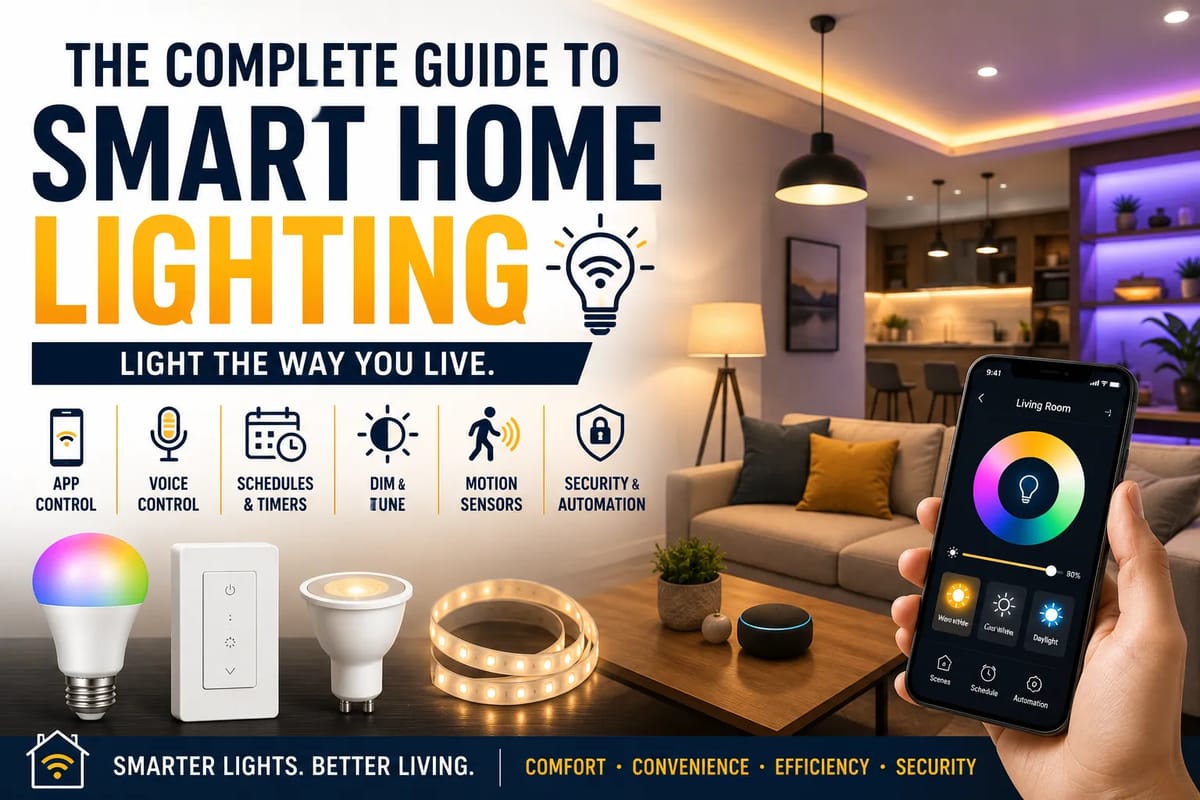
The Complete Guide to Smart Home Lighting
Smart home lighting has moved well beyond turning a bulb on and off from a phone.
Today’s smart lighting systems can automatically adjust brightness, respond to schedules, react to motion, integrate with security systems, and work with voice assistants. Some can change color temperature throughout the day, while others can help reduce energy consumption by ensuring lights are only operating when they are needed.
But building a useful smart lighting system is not simply a matter of buying the most expensive smart bulbs available.
The best setup depends on the rooms in your home, your existing wiring, the type of fixtures you have, how much automation you want, and whether you want a simple system or a fully connected smart home.
This guide explains how smart lighting works, the different types available, what to consider before buying, and how to create a system that is convenient without becoming unnecessarily complicated. It also fits into the broader Complete Guide to Smart Homes, which covers how different connected-home technologies work together.
What Is Smart Home Lighting?
Smart home lighting refers to lighting products that can be controlled, monitored, or automated through a digital connection.
Depending on the system, you may be able to control lights using:
- A smartphone
- A tablet
- A voice assistant
- A physical smart switch
- Motion sensors
- Door or window sensors
- Timers
- Automated schedules
- Other smart-home devices
A traditional light switch gives you a simple choice: on or off.
A smart lighting system can potentially let you specify when, where, how bright, and sometimes what color or color temperature your lights should be.
That additional control is what makes smart lighting different.
How Smart Lighting Works
Smart lighting generally combines three components:
- The light or lighting controller
- A communication connection
- An app, hub, switch, sensor, or voice interface
A smart bulb may contain its own wireless electronics.
A smart switch, on the other hand, controls ordinary light fixtures and connects them to your smart-home system.
Some systems communicate directly with your Wi-Fi network, while others use technologies such as Bluetooth, Zigbee, Z-Wave, or newer smart-home standards such as Matter.
The right technology depends on the products you choose and how extensive you want the system to become.
For a deeper explanation of the different communication technologies used by connected devices, see Smart Home Protocols Explained.
Smart Bulbs vs. Smart Switches
This is one of the most important decisions when designing a smart lighting system.
Smart Bulbs
A smart bulb replaces a conventional bulb with one that contains its own electronics.
You can typically control it through an app or compatible smart-home platform.
Advantages include:
- Easy installation
- Brightness control
- Scheduling
- Color-temperature adjustment on compatible models
- Color-changing capabilities on compatible models
- Individual bulb control
The major limitation is that the physical wall switch can cut power to the bulb.
When power is switched off, the smart bulb may no longer be reachable through the app.
Smart Switches
A smart switch replaces the existing wall switch.
It can control ordinary bulbs while adding smart functionality.
Advantages include:
- Works with many conventional bulbs
- Physical wall control remains available
- Can control multiple lights from one location
- Useful for permanently installed fixtures
- Can integrate with automation systems
Installation can be more complicated than installing a smart bulb.
Some smart switches also require a neutral wire, although products designed for different wiring configurations are available.
Which Is Better?
Neither is universally better.
Smart bulbs make sense when you want advanced lighting effects, individual bulb control, or color-changing features.
Smart switches can be better for ceiling lights, recessed lighting, outdoor fixtures, or rooms where you want traditional wall-switch operation alongside automation.
Many homes can benefit from using both.
For example, a living room might use a smart switch for the ceiling lights and smart bulbs in decorative lamps.
Smart Lighting Communication Standards
One reason smart lighting can seem confusing is the number of wireless technologies involved.
Wi-Fi
Wi-Fi smart lights connect directly to your home network or through the manufacturer’s ecosystem.
Advantages:
- No separate hub may be required
- Familiar technology
- Easy to connect for many users
- Good integration with internet-connected services
Potential drawbacks:
- Large numbers of Wi-Fi devices can increase network traffic
- Performance depends partly on Wi-Fi coverage
- Some products depend heavily on cloud services
Wi-Fi can be convenient for smaller smart-lighting installations.
Bluetooth
Bluetooth lighting can communicate directly with nearby devices.
It can be useful for simple setups, but range and whole-home automation capabilities can vary.
Some Bluetooth products can also use additional networking methods to extend coverage.
Zigbee
Zigbee is a low-power wireless technology commonly used in smart-home devices.
Many Zigbee systems use a mesh network, allowing compatible devices to communicate with one another.
A hub or bridge is commonly involved.
Z-Wave
Z-Wave is another wireless technology designed specifically for home automation.
Like Zigbee, it can support mesh networking.
Z-Wave has traditionally been popular for smart locks, sensors, switches, and other home-automation products.
Matter
Matter is a newer smart-home interoperability standard designed to make compatible devices work more easily across different smart-home ecosystems.
Rather than being a radio technology like Wi-Fi or Bluetooth, Matter operates as an application-layer standard that can work over supported network technologies.
For consumers, the appeal is relatively simple:
greater interoperability between compatible devices and smart-home platforms.
However, compatibility still depends on the specific device, controller, network technology, and features supported by the manufacturer.
Do You Need a Smart Home Hub?
Not always.
Some smart bulbs and switches connect directly through Wi-Fi and can be managed without a dedicated hub.
Other systems use a bridge or hub to connect devices and coordinate automations.
A hub can become particularly useful when you have:
- Many smart devices
- Multiple device types
- Sensors
- Complex automations
- Mesh-based products
- Devices using different communication technologies
A smaller installation may not need one.
For a deeper look at how hubs coordinate connected devices, see the Complete Guide to Smart Home Hubs.
The Role of a Smart Home Platform
A smart-home platform acts as the central environment where compatible devices can be controlled and automated.
Depending on your setup, you might use a platform associated with:
- Apple
- Amazon
- Samsung
- A lighting manufacturer
- A dedicated home-automation system
Compatibility should be checked before purchasing.
A bulb that works with one platform may not support every feature on another.
This broader compatibility question is also covered in Understanding Smart Home Integration and Compatibility.
Voice Control
Voice control is one of the most recognizable smart-lighting features.
You can potentially say commands such as:
- “Turn on the living room lights.”
- “Dim the bedroom lights.”
- “Turn off all downstairs lights.”
- “Set the kitchen lights to 50 percent.”
Voice control is particularly useful when your hands are occupied or when physical switches are inconveniently located.
It should be considered an additional control method rather than the only one.
A good smart-lighting system should still be usable manually.
Scheduling Your Lights
Scheduling is one of the simplest and most useful smart-lighting features.
You can create schedules for:
- Morning
- Evening
- Bedtime
- Work hours
- Vacation periods
- Outdoor lighting
- Children’s rooms
- Security lighting
For example, outdoor lights could automatically turn on around sunset and off later at night.
Bedroom lights could gradually turn on in the morning if compatible with the system.
Schedules reduce the need to remember repetitive tasks.
Motion-Activated Lighting
Motion sensors can automatically trigger lights when movement is detected.
This can be useful in:
- Hallways
- Bathrooms
- Garages
- Closets
- Staircases
- Laundry rooms
- Outdoor pathways
A hallway light could turn on when someone walks through at night and turn off automatically after a specified period.
The system can also be configured to behave differently depending on the time of day.
For example, a bathroom light might use lower brightness overnight rather than switching on at full intensity.
Occupancy vs. Motion Sensors
Motion and occupancy are related but not identical concepts.
A basic motion sensor may detect movement.
If someone sits still for an extended period, the sensor might decide that nobody is present.
More sophisticated occupancy-sensing technologies can detect presence in different ways.
This distinction matters in rooms where people may remain relatively still, such as:
- Home offices
- Living rooms
- Bedrooms
- Meeting rooms
Choosing the right sensor can prevent lights from unexpectedly turning off while someone is still using the room.
For more about the role of sensors in connected homes, see the Smart Home Monitoring Guide: Sensors and Alerts.
Smart Lighting and Security
Lighting can be part of a broader home-security strategy.
Automated lights can make a property appear occupied when nobody is home.
For example, a system could turn lights on and off according to varying schedules during a vacation.
Outdoor smart lighting can also be connected to motion sensors.
However, lighting should not be treated as a substitute for proper locks, alarms, cameras, or other security measures.
For a broader discussion of connected protection systems, see the Smart Home Security Guide.
Vacation Lighting
Leaving lights on continuously while traveling can be wasteful and predictable.
Smart lighting can create more natural-looking schedules.
For example, different rooms can turn on at different times.
Some systems can even use randomized schedules.
The goal is to create normal-looking activity rather than simply leaving every light on.
Smart Lighting for Energy Efficiency
Smart lighting can potentially reduce unnecessary energy use.
Automation can:
- Turn lights off when rooms are unoccupied
- Schedule outdoor lighting
- Reduce brightness when full brightness is unnecessary
- Prevent lights from being left on overnight
- Adjust lighting based on daylight
However, smart technology itself consumes some electricity, and not every smart bulb automatically produces significant savings.
The biggest benefits generally come from using efficient light sources and avoiding unnecessary operation.
Smart lighting can also become part of a wider household energy strategy, alongside climate control and other connected devices.
LED Lighting and Smart Homes
Most modern smart bulbs use LED technology.
LEDs are highly energy-efficient compared with older incandescent lighting and can have long operating lives.
Combining efficient LED lighting with automation can create a particularly practical system.
For example:
LED bulb + motion sensor + automatic shutoff
can reduce the likelihood that a hallway light remains on for hours when nobody is using it.
Dimming and Brightness Control
Dimming is one of the most useful features of smart lighting.
A single light can provide different levels of illumination depending on the activity.
For example:
- 100% for detailed tasks
- 70% for general activity
- 40% for relaxing
- 10–20% for nighttime movement
The exact percentages are not universal.
The important principle is that lighting should adapt to the activity rather than remain at maximum brightness all day.
Color Temperature Explained
Not all white light looks the same.
Color temperature is commonly measured in Kelvin (K).
Lower color temperatures generally appear warmer and more yellow or amber.
Higher color temperatures generally appear cooler and more blue-white.
Typical lighting categories include:
- Warm white
- Neutral white
- Cool white
- Daylight-style lighting
The ideal color temperature depends on the room and activity.
Warm Light for Relaxation
Warm light can create a comfortable atmosphere in:
- Bedrooms
- Living rooms
- Dining rooms
- Entertainment areas
It is often associated with evening environments and can make rooms feel more inviting.
Cooler Light for Tasks
Cooler or more neutral light can be useful in:
- Kitchens
- Home offices
- Workshops
- Utility rooms
- Garages
The objective is not to make every room extremely bright or blue.
It is to choose lighting that supports the activity taking place there.
Circadian Lighting
Some smart lighting systems attempt to adjust color temperature and brightness throughout the day to mimic aspects of natural daylight.
This concept is sometimes called circadian lighting.
The goal is generally to provide brighter, cooler light during the day and warmer, dimmer light in the evening.
Lighting can influence the body’s circadian system, particularly through exposure to light at different times of day.
However, smart lighting should not be marketed as a guaranteed treatment for sleep disorders.
Good sleep also depends on factors such as consistent schedules, sufficient sleep duration, and appropriate nighttime habits.
Smart Lighting Scenes
A lighting scene is a preset combination of brightness, color, and sometimes multiple fixtures.
Instead of adjusting several lights individually, you can activate a scene.
Examples include:
Movie Night
- Main lights dimmed
- Accent lights kept low
- Television area lighting adjusted
Dinner
- Dining lights brighter
- Kitchen lights moderate
- Decorative lights activated
Reading
- Reading lamp brighter
- Ambient lights moderately dimmed
Bedtime
- Main lights turned off
- Hallway lights dimmed
- Bedroom lights set to a warm tone
Scenes make smart lighting feel less like technology and more like a normal part of the home.
Smart Lighting in the Living Room
Living rooms benefit from layered lighting.
A useful combination might include:
- Ceiling lighting
- Floor lamps
- Table lamps
- Accent lighting
- Wall lighting
Smart controls can allow different combinations for different activities.
Instead of one bright ceiling fixture doing everything, several smaller light sources can create a more flexible environment.
Smart Lighting in the Bedroom
Bedroom lighting should generally prioritize comfort.
Useful features include:
- Warm color temperatures
- Dimming
- Bedside control
- Gradual morning illumination
- Automatic nighttime schedules
Smart bulbs in bedside lamps can be particularly convenient because they can be controlled without getting out of bed.
Smart Lighting in the Kitchen
Kitchens require functional lighting.
Smart systems can divide lighting into zones:
- General ceiling lighting
- Under-cabinet lighting
- Island lighting
- Dining-area lighting
- Pantry lighting
Motion sensors can be especially useful inside pantries and cabinets.
Under-cabinet lighting can also be scheduled or controlled independently from the main kitchen lights.
Smart Bathroom Lighting
Bathrooms can benefit from automation, particularly at night.
A motion sensor can activate low-level lighting when someone enters during sleeping hours.
This avoids turning on extremely bright lights that may feel uncomfortable during the night.
However, electrical products installed in bathrooms must be appropriate for the environment and installed according to local electrical requirements.
Smart Outdoor Lighting
Outdoor lighting can improve convenience and visibility.
Potential uses include:
- Pathway lighting
- Porch lights
- Garden lighting
- Garage lighting
- Driveway lighting
- Security lighting
Schedules and motion sensors can reduce unnecessary operation.
Outdoor products should be appropriately rated for exposure to weather.
Smart Lighting and Children
Smart lighting can be useful in children’s rooms.
Parents can create:
- Bedtime scenes
- Night-light settings
- Morning schedules
- Low-brightness nighttime lighting
A very low-brightness light can also help children move around safely without requiring full room illumination.
Smart Lighting for Older Adults
Lighting automation can improve convenience and potentially reduce hazards.
Motion-activated pathway lighting can illuminate:
- Hallways
- Stairs
- Bathrooms
- Bedrooms
Automatic nighttime lighting can make it easier to navigate a home without searching for a switch in darkness.
Lighting is only one component of fall prevention, but better visibility can be helpful.
Smart Switches and Dimmers
Smart switches can add automation without replacing every bulb.
A smart dimmer can provide:
- Remote control
- Scheduling
- Dimming
- Scenes
- Voice control
- Automation
However, not every bulb is compatible with every dimmer.
Always verify compatibility between the switch, bulb, fixture, and electrical system.
Wiring Considerations
Electrical installation is one area where smart-home enthusiasm should not replace caution.
Some smart switches require a neutral wire.
Older homes may have wiring configurations that are different from those expected by newer devices.
If you are unsure about your home’s wiring, consult a qualified electrician rather than experimenting with live electrical circuits.
Smart Lighting Without a Smartphone
A smart home should not become unusable when your phone is unavailable.
A good system can combine:
- Physical switches
- Voice control
- Sensors
- Schedules
- Smartphone apps
This redundancy makes the system more convenient.
For example, you can manually turn on a light when entering a room while still allowing the same light to be controlled automatically.
Internet Dependence
One important consideration when buying smart lighting is what happens if your internet connection fails.
Some systems can continue operating locally.
Others may rely heavily on cloud services.
Before buying, find out whether essential functions such as:
- Turning lights on
- Turning lights off
- Running schedules
- Triggering automations
continue to work when the internet is unavailable.
Local control can be valuable for reliability.
Smart Lighting Privacy
Connected devices can collect data about how they are used.
Depending on the product and ecosystem, information may include:
- Device status
- Usage patterns
- Automation events
- Voice commands
- Account information
Read the manufacturer’s privacy policy and understand what information is collected and how it is used.
If privacy is particularly important, look for systems that offer local processing and minimize unnecessary cloud dependence.
Smart Lighting Cybersecurity
Any connected device can become part of your home’s digital environment.
Good security practices include:
- Use strong, unique passwords.
- Enable multifactor authentication where available.
- Keep device firmware updated.
- Secure your home Wi-Fi network.
- Remove devices you no longer use.
- Purchase products from reputable manufacturers.
- Review account permissions.
A smart bulb may seem insignificant, but the broader smart-home ecosystem can contain valuable information about your household.
Matter and the Future of Smart Lighting
Smart-home interoperability has historically been complicated.
A product might work with one ecosystem but not another.
Matter was developed to improve interoperability between compatible smart-home devices and platforms.
For consumers, this can make product selection easier over time.
However, shoppers should still check the exact compatibility information for a device.
“Matter compatible” does not necessarily mean that every feature will work identically across every platform.
How Many Smart Lights Do You Need?
You do not need to automate your entire home immediately.
A good starting point is often one room.
Consider:
- Bedroom
- Living room
- Hallway
- Kitchen
- Home office
Choose the room where automation would solve a real problem.
For example, if you constantly forget to turn off the porch light, start with the porch.
If you frequently get out of bed to switch off lights, start with the bedroom.
Start Small and Expand
A simple smart-lighting system might begin with:
- Two smart bulbs
- One smart switch
- One motion sensor
- One compatible smart-home platform
Once you understand how the system works, you can expand.
This is usually easier than buying dozens of devices at once and discovering that they do not work together as expected.
Create a Smart Lighting Plan
Before buying anything, walk through your home.
For every room, ask:
What problem am I trying to solve?
For example:
Hallway
Problem: Lights are frequently left on.
Solution: Motion sensor and automatic shutoff.
Bedroom
Problem: Getting out of bed to turn lights off.
Solution: Bedside smart control or voice control.
Kitchen
Problem: Poor lighting during food preparation.
Solution: Smart under-cabinet lighting.
Living Room
Problem: Lighting needs change throughout the evening.
Solution: Multiple smart lights and scenes.
This approach keeps smart-home spending focused on useful improvements.
Common Smart Lighting Mistakes
Buying Before Checking Compatibility
A smart bulb may not support your preferred platform or communication technology.
Check compatibility first.
Automating Everything
Automation is useful when it removes repetitive tasks.
If an automation becomes unpredictable or annoying, it stops being useful.
Ignoring Physical Controls
A wall switch or button remains valuable.
Do not create a system that requires a phone for every interaction.
Overlooking Wi-Fi Coverage
A smart device that cannot reliably communicate with your network will not provide a good experience.
Choosing the Cheapest Product
Price matters, but reliability, software support, security, warranty, and compatibility matter too.
Installing Too Many Devices at Once
Start small.
Learn the ecosystem.
Expand gradually.
How to Make Smart Lighting Feel Natural
The best smart-home technology is often the technology you barely notice.
A good system should quietly:
- Turn lights on when needed
- Turn them off when no longer needed
- Adjust brightness appropriately
- Respond to simple commands
- Follow schedules
- Remain easy to control manually
If you constantly need to troubleshoot automations, reset devices, or open an app for basic tasks, the system may be too complicated.
Smart Lighting on a Budget
You do not need to replace every light fixture.
Start with high-impact areas.
A few inexpensive smart bulbs can provide useful automation.
Another cost-effective strategy is to install smart switches in rooms with several lights.
You can also prioritize sensors.
A single motion sensor controlling several lights may provide more practical value than installing a smart bulb in every fixture.
Smart Lighting for Renters
Renters often cannot replace permanent electrical fixtures or switches.
Smart bulbs are therefore an attractive option.
Other renter-friendly possibilities include:
- Smart lamps
- Plug-in smart outlets
- Battery-powered sensors
- Portable smart lights
- Removable lighting accessories
Always check the terms of your lease before making permanent electrical modifications.
Buying Smart Bulbs: What to Check
Before purchasing a smart bulb, check:
- Bulb shape
- Base type
- Voltage
- Brightness
- Color temperature
- Color capability
- Dimming support
- Communication technology
- Smart-home compatibility
- Matter support where relevant
- Hub requirements
- App quality
- Privacy practices
- Warranty
A bulb that looks right may still be incompatible with your fixture or electrical system.
Brightness Matters
Smart bulbs are not all equally bright.
Brightness is commonly expressed in lumens.
A decorative lamp may need relatively modest output.
A kitchen or workspace may require considerably more illumination.
Do not choose a bulb based solely on wattage.
Wattage measures energy consumption, while lumens provide a better indication of light output.
Color Bulbs vs. Tunable White Bulbs
Color-changing bulbs can produce many colors.
They are useful for:
- Entertainment
- Parties
- Decorative lighting
- Accent effects
But they are not necessary for every room.
Tunable-white bulbs can adjust between warmer and cooler shades of white without offering full-color effects.
For everyday residential lighting, tunable white may provide more practical value than millions of color options.
Smart Lighting and Interior Design
Technology should complement the room rather than dominate it.
Lighting can be used to emphasize:
- Artwork
- Architectural features
- Shelving
- Plants
- Textured walls
- Dining areas
- Furniture
Layering different light sources can create depth.
A room with only one overhead fixture can feel flat.
Combining ambient, task, and accent lighting can make the same space feel dramatically different.
The Three Layers of Home Lighting
A useful interior-lighting concept is to divide lighting into three categories.
Ambient Lighting
Provides general illumination.
Examples include:
- Ceiling fixtures
- Recessed lights
- Chandeliers
Task Lighting
Provides focused illumination for specific activities.
Examples include:
- Reading lamps
- Under-cabinet kitchen lighting
- Desk lamps
- Bathroom vanity lights
Accent Lighting
Highlights particular features.
Examples include:
- Artwork lighting
- Shelf lighting
- Architectural lighting
- Decorative lamps
Smart controls can make all three layers more flexible.
Maintenance Still Matters
Smart lighting does not eliminate ordinary maintenance.
You still need to:
- Clean fixtures
- Replace failed bulbs
- Update firmware
- Check batteries in sensors
- Review automations
- Maintain your network
- Replace damaged equipment
A smart home is still a home.
Technology reduces certain tasks but does not eliminate maintenance.
What Happens When a Smart Bulb Fails?
Like conventional bulbs, smart bulbs eventually fail.
However, replacing one may require more consideration because it contains electronics.
Keep a record of the product model and its compatibility.
If you build a large system around one ecosystem, standardizing on a small number of product families can make replacement easier.
Is Smart Lighting Worth It?
For many households, yes—but the value comes from convenience rather than novelty.
Smart lighting can be particularly useful if you:
- Frequently forget to turn lights off
- Want scheduled lighting
- Need automatic nighttime lighting
- Want better control of multiple rooms
- Enjoy adjustable brightness
- Want lighting scenes
- Have mobility limitations
- Want lighting integrated with a broader smart home
If you rarely use automation and prefer conventional switches, a traditional efficient lighting system may be perfectly adequate.
Smart technology is an option, not a requirement.
A Simple Smart Lighting Blueprint
For someone starting from scratch, a practical system could look like this:
Entryway
Motion sensor + smart light
Purpose: Automatic illumination when arriving home.
Living Room
Smart switch + dimmable smart lamps
Purpose: Flexible lighting scenes.
Kitchen
Smart under-cabinet lights + main smart switch
Purpose: Better task lighting and convenient control.
Bedroom
Smart bedside lamp + schedule
Purpose: Comfortable evening and morning routines.
Hallway
Motion sensor + dimmable lighting
Purpose: Safe nighttime navigation.
Exterior
Weather-appropriate smart lights + schedule or motion detection
Purpose: Convenience and security.
This type of setup provides noticeable benefits without turning every electrical device in the house into a connected gadget.
The Future of Smart Home Lighting
Smart lighting is gradually becoming less about individual bulbs and more about the environment around them.
Future systems are likely to place greater emphasis on:
- Interoperability
- Sensors
- Energy management
- Local automation
- Adaptive lighting
- Occupancy detection
- Integration with security
- Integration with heating and cooling
- More natural lighting patterns
The long-term goal is not simply to make lights controllable from a phone.
It is to make lighting responsive to how people actually use their homes.
The Best Smart Lighting System Is the One You Don’t Have to Think About
Smart home lighting can be as simple or sophisticated as you want.
At the basic level, it can mean turning a lamp on and off from your phone.
At the other end of the spectrum, a connected lighting system can coordinate sensors, schedules, scenes, switches, voice assistants, security devices, and other smart-home equipment.
The key is to start with practical problems rather than technology for its own sake.
Choose compatible products. Keep physical controls available. Pay attention to electrical safety. Consider privacy and cybersecurity. Use efficient LED lighting. Add automation where it genuinely saves time or improves comfort.
Most importantly, build the system gradually.
A hallway light that switches on automatically when you walk through at night may be more valuable than dozens of flashy color-changing bulbs you rarely use.
The smartest lighting system is not the one with the most features. It is the one that quietly gives you the right light, in the right place, at the right time—without making your home more complicated.