How to Make Different Smart Home Devices Work Together
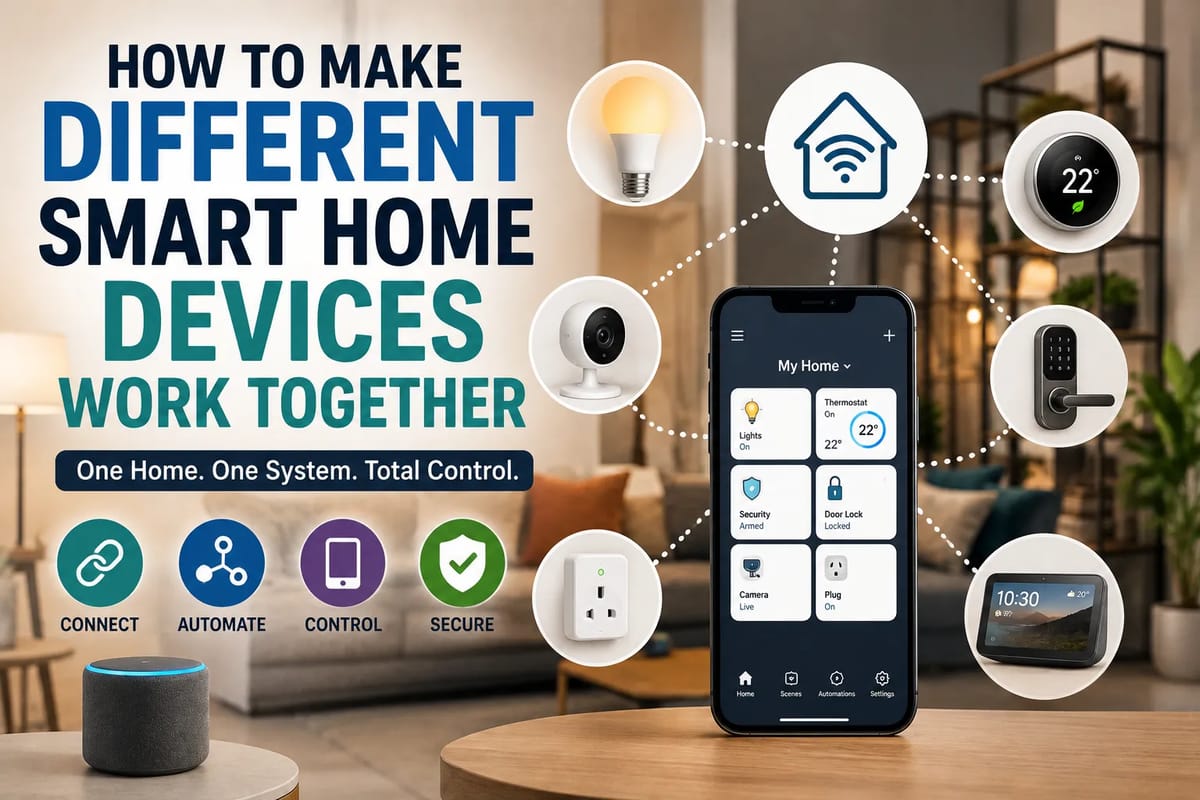
How to Make Different Smart Home Devices Work Together
A smart home can start with something as simple as a smart bulb or connected speaker. Over time, however, the number of devices can quickly grow: thermostats, security cameras, doorbells, locks, plugs, sensors, televisions and appliances may all come from different manufacturers.
That is when things can become complicated.
A device may work perfectly on its own but fail to communicate with another product. One app may control the lights, another may manage the thermostat, while a third is required for security cameras. Instead of making life easier, the smart home can become a collection of disconnected systems.
The good news is that modern smart-home platforms and interoperability standards are making it easier to bring devices from different brands together.
The key is to choose compatible products, understand the communication standards they use and build automations around a central platform rather than treating every device as a separate system.
For a broader overview of how the different parts of a connected home fit together, see The Complete Guide to Smart Homes.
Why Smart Home Devices Do Not Always Work Together
Smart-home devices communicate using different technologies and ecosystems.
Some rely on Wi-Fi, while others use protocols such as Zigbee, Z-Wave or Thread. Devices may also depend on proprietary software or manufacturer-specific cloud services.
Even when two products both advertise themselves as “smart,” that does not necessarily mean they can communicate directly.
For example, a smart light bulb might work with one voice assistant but not another. A security camera might support a particular smart-home platform while a smart lock uses a different ecosystem.
Compatibility therefore needs to be considered before buying equipment.
Start With a Smart Home Platform
One of the easiest ways to bring different devices together is to choose a central smart-home platform.
The platform acts as the organizing layer for compatible devices and allows users to control multiple products from one interface.
Common options include:
-
Apple Home
-
Google Home
-
Amazon Alexa
-
Samsung SmartThings
-
Home Assistant
Each platform has different compatibility, automation and privacy characteristics.
Instead of choosing a platform solely because you already own one compatible device, consider the types of products you expect to add in the future.
Understand Matter
One of the most important developments in smart-home interoperability is Matter.
Matter is an industry-backed smart-home standard designed to make compatible devices work across different ecosystems.
The idea is relatively simple: instead of buying a device specifically for one company’s ecosystem, consumers can choose compatible Matter products and use them with supported platforms.
Matter is supported by major technology companies and is designed to work across ecosystems rather than locking a device to a single manufacturer.
That makes the standard particularly useful for people building a smart home gradually.
For a deeper look at the communication standards behind connected devices, Smart Home Protocols Explained provides additional context.
Matter Does Not Mean Everything Is Automatically Compatible
It is important not to interpret Matter as a guarantee that every feature of every device will work everywhere.
A Matter-certified product may support a specific category of functionality, while additional manufacturer features may remain available only through the company’s own app.
For example, a smart device might expose basic controls through Matter while advanced settings, specialized modes or firmware management remain inside the manufacturer’s application.
Before purchasing a product, check exactly what functionality is supported by the platform you intend to use.
Check for the Right Logo Before Buying
Compatibility labels can save considerable frustration.
When shopping for a smart-home device, look for information indicating support for:
-
Matter
-
Your preferred smart-home platform
-
Thread, where applicable
-
Wi-Fi
-
Zigbee
-
Z-Wave
-
Relevant voice assistants
Do not assume that products from the same general category will automatically work together.
Two smart bulbs from different manufacturers, for example, may use completely different communication technologies.
Understand Wi-Fi, Thread, Zigbee and Z-Wave
The communication method used by a smart device can have a major effect on how it fits into your home.
Wi-Fi
Wi-Fi is familiar and convenient because most homes already have a Wi-Fi network.
Wi-Fi devices can communicate directly with the home network and often do not require a separate hub.
However, adding dozens of Wi-Fi devices can increase the load on a home network, depending on the router and devices involved.
Thread
Thread is a low-power wireless networking technology designed for connected devices such as sensors, locks and other smart-home equipment.
Thread creates a mesh network, allowing compatible devices to communicate through the network rather than requiring every device to connect directly to the Wi-Fi router.
Some Matter devices use Thread as their underlying network technology.
Zigbee
Zigbee is another low-power mesh networking technology that has been widely used in smart-home devices.
It can be found in products such as lights, sensors and switches.
Zigbee devices generally require a compatible hub or controller to connect them to the rest of a smart-home system.
Z-Wave
Z-Wave is also designed for smart-home automation and uses a mesh network.
It has been used extensively for devices such as locks, sensors, switches and thermostats.
Like Zigbee, Z-Wave products generally rely on a compatible controller or hub.
The Hub Can Become the Bridge
A hub or controller can help bring devices using different technologies into one system.
For example, a smart-home hub may connect with Zigbee devices while also communicating with Wi-Fi products and compatible Matter equipment.
This allows the user to create automations that involve products that would otherwise have no direct way to communicate.
The hub effectively becomes the translator and coordinator for the home.
However, not every hub supports every protocol, so compatibility should be checked before purchasing one.
If you want to understand the role hubs play in organizing a connected home, see the Complete Guide to Smart Home Hubs.
Use a Matter Controller When Appropriate
Matter relies on controllers within smart-home ecosystems to manage Matter devices.
Depending on the ecosystem, a compatible smart speaker, display, hub or other device may provide Matter controller functionality.
Thread-based Matter devices may also require a Thread Border Router to connect the Thread network with the rest of the home network.
Some modern smart-home hubs and speakers combine these functions, which can simplify setup.
The important thing is to understand what your existing equipment already supports before buying additional hardware.
Keep Your Home Network Reliable
Smart-home automation depends heavily on a reliable network.
If the network frequently drops connections, smart devices may become unavailable or respond slowly.
Before adding dozens of devices, make sure your Wi-Fi coverage is adequate.
You may need to consider:
-
Router placement
-
Wi-Fi coverage
-
Mesh networking
-
Network congestion
-
Internet reliability
-
Firmware updates
-
Separate networks for certain devices
Not every smart-home problem is caused by the device itself. Sometimes the underlying network is the real issue.
For more detail on designing the network that connects smart-home devices, see the Complete Guide to Smart Home Networking.
Consider a Separate IoT Network
Some households create a separate network for internet-connected devices.
This can help isolate smart-home equipment from computers and other personal devices.
A separate network can also make it easier to manage large numbers of connected products.
However, network isolation needs to be configured carefully. Some smart-home devices need to discover or communicate with controllers and phones on another network.
If those communication paths are blocked, devices may stop working properly.
Use One Main Control Center
Having five different smart-home apps can quickly become frustrating.
Whenever possible, choose one main control interface for everyday tasks.
For example, you might use one platform to:
-
Turn lights on and off
-
Adjust the thermostat
-
Check compatible cameras
-
Lock doors
-
Control plugs
-
Start scenes
-
Run automations
Manufacturer apps can still be useful for advanced settings, firmware updates and device-specific functions.
But the main daily experience should ideally feel centralized.
Understanding how devices, platforms and services communicate is also important when choosing a central control system. The Understanding Smart Home Integration and Compatibility guide explores these compatibility considerations in more detail.
Create Scenes Instead of Controlling Devices Individually
Scenes are one of the easiest ways to make a smart home feel genuinely smart.
A scene combines multiple device actions into a single command.
For example, a Movie Night scene could:
- Dim the living-room lights.
- Turn on the television.
- Close compatible blinds.
- Adjust the thermostat.
- Turn off unnecessary lights.
Instead of controlling five devices individually, the user activates one scene.
Automations Make Devices Work Together
Scenes require a command from the user.
Automations can go a step further by allowing one event to trigger another action.
For example:
Motion detected → hallway lights turn on.
Or:
Front door unlocked after sunset → entry and hallway lights turn on.
Or:
Everyone leaves home → selected lights switch off and the thermostat changes mode.
This is where interoperability becomes particularly valuable.
The real benefit of connected devices is not simply controlling them remotely. It is allowing them to respond intelligently to what is happening around the home.
Build Automations Around Events
Good automations usually have three basic components:
Trigger → Condition → Action
For example:
Trigger: A motion sensor detects movement.
Condition: It is nighttime.
Action: Turn on hallway lights at 30% brightness.
This structure prevents unnecessary actions.
Without the nighttime condition, the lights might activate every time someone walks down the hallway during the day.
Use Sensors to Connect Different Systems
Sensors can serve as the connective tissue of a smart home.
A door sensor, motion detector, temperature sensor or humidity sensor can trigger actions involving completely different types of equipment.
For example:
Window opens → thermostat pauses heating or cooling.
Motion detected → lights activate.
Water leak detected → phone receives an alert.
Temperature rises → fan turns on.
This is often more useful than simply putting every appliance online.
Sensors become especially useful when combined with broader monitoring and alert systems. The Smart Home Monitoring Guide: Sensors and Alerts explains how sensors can help homeowners detect changes and respond to important events.
Start With Simple Automations
It is tempting to build complicated automation systems immediately.
That can create problems.
Start with a few straightforward routines that solve genuine problems.
Good first automations might include:
-
Hallway lights turning on at night
-
Lights switching off when everyone leaves
-
A door sensor sending an alert
-
A morning lighting scene
-
A bedtime routine
-
A smart plug turning off at a scheduled time
Once these work reliably, more complex automations can be added.
Avoid Automation Conflicts
Smart homes can become unpredictable when multiple automations control the same device.
Imagine one automation turning the thermostat down when everyone leaves while another automation raises it according to a fixed schedule.
Both systems may work correctly individually but create unexpected results when they run at the same time.
Before creating an automation, ask:
What other automation could change this device?
Keeping a simple list of major routines can help prevent conflicts.
Give Devices Clear Names
Naming becomes surprisingly important as the number of devices increases.
“Light 1” and “Device 4” may work when you have three smart devices.
They become confusing when you have 40.
Use names that clearly describe location and function:
-
Living Room Ceiling
-
Kitchen Island
-
Main Bedroom Lamp
-
Front Door Lock
-
Upstairs Hall Motion
-
Garage Door
Consistent naming makes voice commands and automation creation much easier.
Organize Devices by Room
Most smart-home platforms allow devices to be assigned to rooms.
Take advantage of that structure.
Instead of creating a long list of unrelated devices, organize them by location:
Living Room
-
Lights
-
TV
-
Speaker
-
Blinds
-
Temperature sensor
Bedroom
-
Lights
-
Fan
-
Thermostat
-
Motion sensor
Kitchen
-
Lights
-
Smart plug
-
Leak sensor
This makes the system easier to understand and maintain.
Make Voice Control Optional, Not Essential
Voice assistants can make smart homes convenient, but your system should not depend entirely on voice commands.
There should ideally be alternative ways to control important devices.
For example, a smart light should still have a physical switch.
A smart lock should have an appropriate backup method.
A heating system should have manual controls where practical.
Technology can fail, networks can go offline and batteries can run out.
Good smart-home design accounts for those situations.
Think About What Happens When the Internet Goes Down
Some smart-home devices depend heavily on cloud services.
If the internet connection disappears, certain features may stop working.
Other devices can continue functioning locally.
This distinction matters when designing automations.
For critical functions such as lighting, locks, heating or security alerts, consider whether the system can operate locally when the internet is unavailable.
Local control can make a smart home more resilient.
Keep Firmware Updated
Smart devices contain software, and that software can contain security vulnerabilities or bugs.
Manufacturers periodically release firmware updates to improve performance, fix problems and address security issues.
Keep important devices updated.
If a product no longer receives security updates, consider whether it still makes sense to keep it connected to your home network.
Security Should Be Part of the Design
Connecting more devices to your home also increases the number of potential entry points into your network.
Good security practices include:
-
Use strong, unique passwords
-
Enable multi-factor authentication where available
-
Keep firmware updated
-
Avoid unnecessary remote access
-
Buy devices from reputable manufacturers
-
Review device permissions
-
Remove devices you no longer use
-
Secure your Wi-Fi network
Smart cameras and locks deserve particular attention because they can involve sensitive information and physical security.
For a broader look at protecting connected devices and the home they operate in, see the Smart Home Security Guide.
Consider Privacy Before Adding Cameras and Microphones
Not every smart device has the same privacy implications.
A smart bulb has relatively limited access to personal information.
A camera, microphone or smart display is different.
Before purchasing these devices, consider:
-
Where recordings are stored
-
Whether audio is collected
-
How long data is retained
-
Whether recordings are encrypted
-
Who can access the account
-
Whether cloud services are required
-
What happens if the manufacturer stops supporting the product
Convenience should not automatically take priority over privacy.
Avoid Building Your Entire Home Around One Brand
Buying everything from one manufacturer can make setup easier, but it also creates dependency.
If that manufacturer changes its policies, discontinues a product line or shuts down a cloud service, your options may become limited.
Interoperability standards such as Matter can reduce some of this dependence.
A balanced approach may be to choose products based on compatibility and functionality rather than brand loyalty alone.
Plan Before You Buy
A little planning can prevent expensive mistakes.
Before purchasing a device, ask:
What platform will control it?
What wireless protocol does it use?
Does it support Matter?
Does it require a hub?
Will its important features work with my existing system?
Does it continue working if the internet goes down?
How long is the manufacturer likely to support it?
These questions can eliminate many compatibility problems before they happen.
Buy Devices That Solve Real Problems
It is easy to buy smart-home products simply because they are interesting.
But a house does not become better because every appliance has an app.
The most useful devices generally solve a specific problem.
A motion sensor might eliminate the need to search for a light switch at night.
A smart thermostat may make temperature management more convenient.
A leak sensor can provide an early warning of a potentially expensive problem.
A smart lock can make access easier for family members.
A smart plug can automate an otherwise manual routine.
Start with problems rather than gadgets.
A Practical Way to Build a Connected Smart Home
A gradual approach can work well.
Step 1: Choose Your Main Platform
Decide which ecosystem you want to use as the primary control center.
Step 2: Check Your Network
Make sure your Wi-Fi coverage is reliable and determine whether you need additional networking equipment.
Step 3: Choose Compatible Devices
Prioritize products that support your platform and, where appropriate, Matter.
Step 4: Add a Hub or Controller if Necessary
If your devices use Zigbee, Z-Wave or certain Thread configurations, you may need additional infrastructure.
Step 5: Set Up Rooms and Device Names
Organize everything before creating complicated routines.
Step 6: Create a Few Useful Scenes
Combine common actions into simple commands.
Step 7: Add Event-Based Automations
Use sensors, schedules and presence information to trigger actions.
Step 8: Review Security and Privacy
Enable account protections and update devices regularly.
Step 9: Test Everything
Run each automation under different conditions to make sure it behaves as expected.
What a Well-Connected Smart Home Looks Like
A well-designed smart home should not necessarily feel like a collection of technology.
Ideally, the technology becomes almost invisible.
You walk into a room and the lights respond appropriately.
The thermostat adjusts without constant manual intervention.
A door sensor alerts you when something unexpected happens.
The house prepares itself for bedtime.
When you leave, unnecessary equipment switches off.
The individual devices may come from different manufacturers, but the experience feels unified.
That is the real goal of interoperability.
The Future of the Connected Home
The smart-home industry is moving toward greater interoperability, but compatibility will not become completely effortless overnight.
Standards such as Matter are helping reduce ecosystem barriers, while technologies such as Thread are providing new networking options for low-power connected devices.
At the same time, manufacturers continue to develop proprietary features that may remain tied to their own platforms.
For consumers, the lesson is straightforward: buying a smart device should involve thinking beyond the device itself.
Consider the network, platform, protocol, privacy model and long-term support.
A smart home works best when the individual products are treated as parts of one system rather than isolated gadgets.
Building a Smarter Home Without Making It Complicated
The most successful smart homes are not necessarily the ones with the largest number of devices.
They are the ones where the devices work together reliably and make everyday routines easier.
Choosing a central platform, prioritizing interoperability, understanding Matter and the underlying networking technologies, maintaining a reliable network and creating simple automations can turn a collection of unrelated gadgets into a coordinated system.
Start small, solve real problems and expand gradually.
The smartest home is not the one that does the most—it is the one that quietly does the right things at the right time.