How Smart Speakers and Voice Assistants Control Connected Home Devices
How Smart Speakers and Voice Assistants Control Connected Home Devices
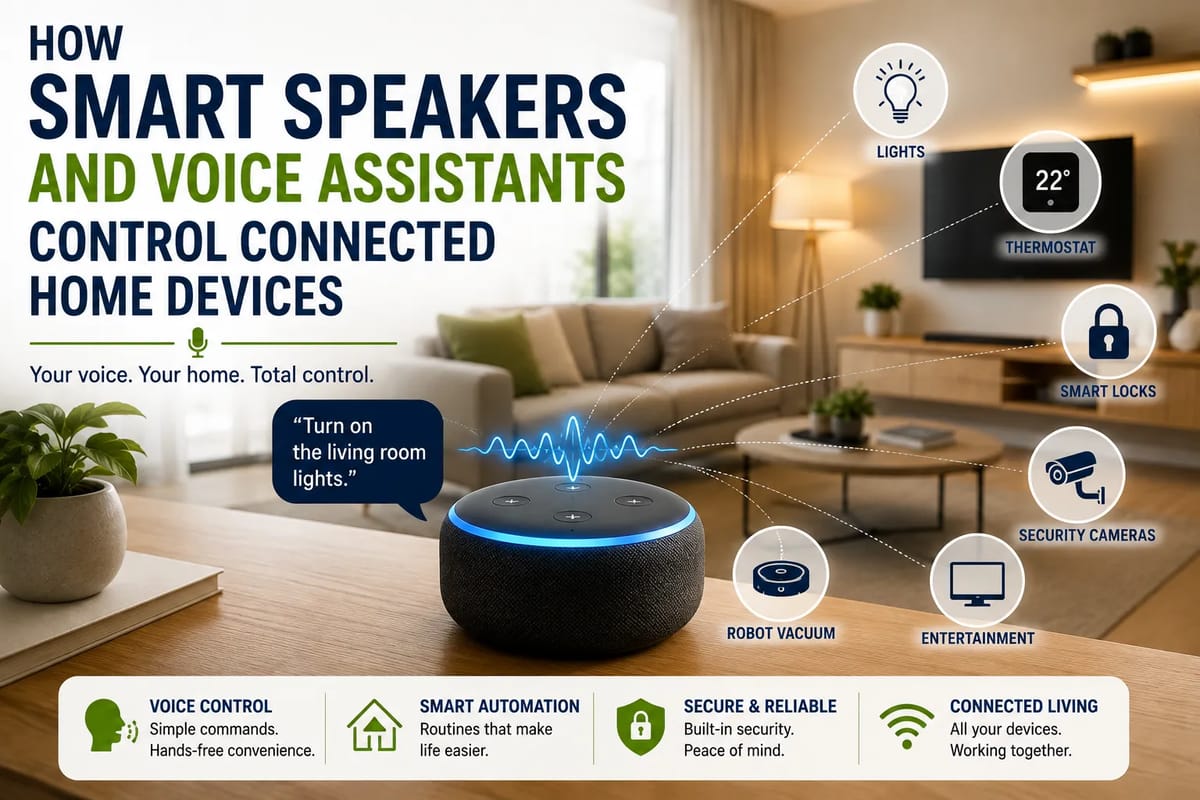
Smart speakers have evolved far beyond playing music and answering simple questions. Today, a single voice command can turn off lights, adjust a thermostat, lock compatible doors, start a robot vacuum, display a camera feed, or activate an entire collection of smart-home devices.
The technology behind that convenience can seem almost magical. In reality, voice-controlled homes rely on several interconnected technologies working together: microphones, speech recognition, cloud services or local processing, smart-home platforms, wireless networks, and connected devices.
Understanding how these systems communicate makes it easier to build a smart home that is convenient, reliable and secure.
For a broader overview of how these technologies fit together, see The Complete Guide to Smart Homes.
What Is a Smart Speaker?
A smart speaker is a connected device equipped with microphones, a speaker and software capable of responding to spoken commands.
Unlike a traditional Bluetooth speaker, a smart speaker can communicate with online services and other connected devices.
Depending on the platform, a smart speaker can:
-
Answer questions
-
Play music and podcasts
-
Set alarms and timers
-
Provide weather information
-
Control smart lights
-
Adjust thermostats
-
Operate compatible appliances
-
Control televisions
-
Manage routines
-
Make announcements around the home
-
Connect with security devices
Some smart speakers also include displays, turning them into small smart-home control centers.
What Is a Voice Assistant?
A voice assistant is the software that interprets spoken requests and determines what action should happen.
The speaker provides the physical interface, while the assistant provides much of the intelligence behind it.
A typical interaction might look like this:
“Turn off the living room lights.”
The microphone captures the command, the voice-assistant system identifies the words and intent, and the smart-home platform sends the appropriate instruction to the lighting system.
The user experiences this as one simple interaction, even though several technical processes may occur behind the scenes.
The Basic Process Behind a Voice Command
When someone speaks to a smart speaker, several stages can happen in rapid succession.
1. The microphone detects speech
Smart speakers continuously monitor their surroundings for a wake word or another activation mechanism.
Once activated, the device captures the user’s request.
2. The system converts speech into text
Speech-recognition technology analyzes the audio and determines what was said.
For example:
“Turn the bedroom lights off.”
becomes a machine-readable representation of the request.
3. The assistant interprets the request
The system needs to understand not only the words but also their intended action.
In this example:
-
Action: turn off
-
Device: lights
-
Location: bedroom
This process is often referred to as natural-language understanding.
4. The smart-home platform identifies the device
The assistant checks which connected device corresponds to the requested command.
If several lights are assigned to “bedroom,” the platform may control all of them.
5. The command is sent
The smart-home platform communicates with the relevant device through a compatible connection.
6. The device performs the action
The light switches off, the thermostat changes temperature, or another connected device carries out the requested instruction.
The entire process can happen within seconds.
Smart Speakers Do Not Directly Control Everything
One important misconception is that a smart speaker itself communicates directly with every device in a home.
Sometimes it does.
But in many smart-home setups, the speaker is mainly the interface between the user and a broader ecosystem.
The actual communication may involve:
-
Wi-Fi
-
Bluetooth
-
Zigbee
-
Z-Wave
-
Thread
-
Matter
-
A dedicated smart-home hub
-
Cloud services
The exact architecture depends on the devices and platform being used.
Wi-Fi Is Common in Smart Homes
Many smart-home products connect directly to a home’s Wi-Fi network.
Examples include:
-
Smart televisions
-
Security cameras
-
Smart plugs
-
Some light bulbs
-
Appliances
-
Thermostats
-
Speakers
Wi-Fi allows these devices to communicate through the home’s network and, when required, internet-connected services.
The advantage is simplicity.
Many homes already have a Wi-Fi router, so adding a compatible device does not necessarily require another hub.
The disadvantage is that a home with dozens of connected devices can place additional demands on the wireless network.
Bluetooth Has a Different Role
Bluetooth is commonly used for short-range communication.
It can be useful for connecting certain smart-home devices and for initial setup, configuration or communication with nearby equipment.
Bluetooth generally has a shorter range than Wi-Fi, making it less suitable as the primary network for an entire smart home.
Zigbee and Z-Wave Can Connect Smart-Home Devices
Zigbee and Z-Wave are wireless technologies that have been widely used in smart-home equipment.
They can support devices such as:
-
Sensors
-
Light switches
-
Door locks
-
Motion detectors
-
Smart plugs
Many devices using these technologies communicate through a mesh network.
Rather than every device needing a direct connection to the central hub, compatible devices can help relay signals across the network.
This can make a larger smart-home installation more practical.
Thread Is a Newer Smart-Home Networking Technology
Thread is designed specifically for low-power connected devices.
It is based on mesh networking and can be used by products such as sensors, switches and other smart-home accessories.
One of its important characteristics is that it is designed to support reliable communication between connected devices without requiring every device to communicate directly with the home Wi-Fi network.
Thread has also become important alongside Matter, a smart-home standard designed to improve interoperability.
For a deeper explanation of the technologies that allow smart-home devices to communicate, see Smart Home Protocols Explained.
Matter Is Changing Smart-Home Compatibility
One of the longstanding problems with smart homes has been compatibility.
A device might work with one ecosystem but not another.
Matter was developed to help address this problem by providing a common application-layer standard for compatible smart-home devices.
The goal is straightforward:
A Matter-compatible device should be easier to use across supported smart-home platforms.
This can reduce some of the frustration involved in checking whether a light bulb, plug, sensor or appliance works with a particular voice assistant.
However, Matter does not automatically eliminate every compatibility issue.
Features, device types, controllers, network technologies and platform support can still vary.
Smart-Home Hubs Can Act as the Middleman
Some smart-home systems use a dedicated hub.
The hub communicates with devices using technologies such as Zigbee, Z-Wave or other protocols and connects those devices to the broader smart-home ecosystem.
A simplified setup might look like:
Voice command → Voice assistant → Smart-home hub → Smart light
The hub effectively acts as a translator and coordinator.
This architecture can be particularly useful in larger smart homes with many devices.
For more information about hubs and their role in coordinating connected devices, see the Complete Guide to Smart Home Hubs.
Cloud Processing Plays an Important Role
Many voice assistants rely partly on cloud computing.
When a command is issued, some of the processing may occur on remote servers.
The general flow can look like:
Speaker → Internet → Voice-assistant service → Smart-home platform → Device
Cloud processing provides access to powerful computing resources and allows services to be updated without replacing the physical speaker.
However, it also means that some smart-home functions may depend on an internet connection.
Not Every Command Needs the Same Level of Connectivity
Some smart-home systems can perform certain commands locally.
Local control means a command can be processed within the home rather than being sent to an external server for every step.
This can provide advantages such as:
-
Faster response times
-
Reduced dependence on internet connectivity
-
Greater privacy for certain interactions
-
Continued operation during some internet outages
The extent of local functionality varies considerably between products and platforms.
Routines Make Voice Assistants More Powerful
One of the most useful smart-home features is the ability to create routines.
Instead of giving several commands individually, a user can create a single trigger that performs multiple actions.
For example:
“Good morning.”
could trigger:
-
Bedroom lights turning on
-
Curtains opening
-
Thermostat adjusting
-
A weather report
-
A morning news briefing
Another command such as:
“Good night.”
could:
-
Turn off lights
-
Lock compatible doors
-
Adjust the thermostat
-
Turn off selected appliances
-
Arm compatible security equipment
The real power of a smart speaker therefore comes not only from individual commands but from automation.
Voice Commands Can Control Groups of Devices
Smart-home platforms can group devices according to rooms or functions.
For example, a group called “living room” might contain:
-
Ceiling lights
-
Lamps
-
Television
-
Speakers
-
Smart blinds
A single command can then control several devices at once.
This makes voice control much more natural because users do not need to remember the technical name of every individual device.
Smart Speakers Can Understand Natural Language
Modern voice assistants are designed to handle conversational requests rather than rigid computer commands.
A user might say:
“It’s getting a little cold in here.”
Depending on the capabilities of the system, an assistant could interpret that as a request to adjust the thermostat.
Similarly, a person might say:
“Make the living room brighter.”
instead of specifying an exact brightness percentage.
The assistant attempts to infer the intended action from context.
Context Makes Voice Control More Useful
Context allows assistants to understand follow-up requests.
For example:
“Turn on the kitchen lights.”
Then:
“Make them brighter.”
The second command depends on understanding what “them” refers to.
Smart-home systems can use information about the previous request, device location and configured groups to interpret such commands.
The quality of this contextual understanding varies between platforms and devices.
Voice Assistants Can Control More Than Lights
Lighting is one of the easiest smart-home applications, but voice control can extend much further.
Climate
-
Thermostats
-
Fans
-
Air conditioners
-
Heating systems
Entertainment
-
Televisions
-
Speakers
-
Streaming devices
Security
-
Cameras
-
Door locks
-
Alarm systems
-
Motion sensors
Appliances
-
Robot vacuums
-
Coffee machines
-
Ovens
-
Washing machines
Environment
-
Blinds
-
Curtains
-
Air-quality devices
-
Smart plugs
The exact capabilities depend on the product and its integrations.
Smart Lighting Is a Good Starting Point
For someone new to smart-home technology, lighting is often an easy place to begin.
Smart bulbs and switches can provide immediate benefits such as:
-
Voice control
-
Scheduling
-
Dimming
-
Remote control
-
Automated routines
A homeowner can start with a few lights and expand gradually.
Smart Thermostats Add Automation
A smart thermostat can combine voice commands with schedules, sensors and other automation features.
Instead of manually changing the temperature several times a day, users can create schedules or ask the assistant to adjust it.
Some systems can also use occupancy information to make automatic changes.
This can make climate control more convenient while potentially reducing unnecessary heating or cooling.
For a deeper look at connected temperature management, see the Complete Guide to Smart Home Climate Control.
Smart Plugs Can Upgrade Ordinary Appliances
A smart plug can add basic connectivity to an ordinary electrical device.
For example, a lamp plugged into a compatible smart plug can become part of a voice-controlled lighting routine.
Smart plugs can be useful because they allow homeowners to introduce automation without replacing every appliance with a smart version.
However, they should only be used with appliances for which the plug is appropriately rated and where remote switching is safe.
Smart Locks Require Extra Security Consideration
Voice-controlled door locks can be convenient, but security considerations become particularly important.
A command that turns off a light is very different from one that unlocks a door.
For security-sensitive actions, manufacturers may require additional authentication or restrictions.
Users should carefully review the security settings of smart locks and other devices that control physical access to the home.
For more information about connected access systems, see the Complete Guide to Smart Home Access Control.
Voice Control Creates Privacy Questions
Smart speakers contain microphones, which naturally raises privacy concerns.
Users should understand:
-
When the microphone is active
-
How wake-word detection works
-
What happens after activation
-
Whether recordings are stored
-
How recordings can be reviewed or deleted
-
Which third-party services receive information
-
Which household members can access the system
Privacy settings vary between platforms.
It is worth reviewing them rather than simply accepting the default configuration.
Use the Microphone Mute Feature When Appropriate
Many smart speakers include a physical microphone-mute control.
This can provide an additional layer of reassurance when voice detection is not needed.
For particularly private conversations, users may prefer to disable the microphone temporarily.
The exact behavior varies by device, so check the manufacturer’s documentation.
Secure the Home Network
A smart home is only as secure as the systems connecting its devices.
Basic network security practices include:
-
Use a strong Wi-Fi password.
-
Enable modern wireless security standards.
-
Keep router firmware updated.
-
Update smart-home devices.
-
Replace default passwords.
-
Use multi-factor authentication when available.
-
Remove devices you no longer use.
-
Review connected accounts periodically.
A separate guest or IoT network can also help isolate some connected devices from computers and other sensitive equipment.
Keep Smart Devices Updated
Software updates can fix bugs and address security vulnerabilities.
This is particularly important for devices that remain connected to the internet.
When buying smart-home equipment, consider whether the manufacturer has a history of providing security updates and long-term software support.
A cheap device that stops receiving updates quickly may create problems later.
Give Each Household Member Appropriate Access
Smart-home platforms often allow multiple users.
Rather than sharing one account and password with everyone, use the platform’s built-in household or user-management features when available.
This can make it easier to:
-
Add family members
-
Remove former users
-
Control permissions
-
Track account access
-
Protect sensitive functions
This becomes increasingly important as the number of connected devices grows.
Avoid Unnecessary Integrations
Every additional service connected to a smart-home ecosystem can introduce another account, permission or potential security weakness.
If an integration is not useful, there is little reason to keep it connected.
Review third-party services periodically and remove access that is no longer needed.
What Happens When the Internet Goes Down?
This depends heavily on the smart-home architecture.
Some devices may continue functioning normally because they communicate locally.
Others may lose remote-control or voice-assistant capabilities when the internet connection disappears.
For example, a smart light may still respond to a physical switch while a cloud-dependent voice command stops working.
Understanding what works offline can prevent unpleasant surprises.
Physical Controls Still Matter
A smart home should not become unusable simply because the network is unavailable.
Physical switches, buttons and manual controls remain valuable.
A well-designed smart home can provide both:
Traditional control + smart control
This gives residents multiple ways to operate essential devices.
Smart Homes Work Best When Automation Is Invisible
The best smart-home technology often disappears into the background.
Instead of requiring users to constantly think about apps and settings, the home should perform routine tasks automatically.
Lights can respond to schedules.
Thermostats can follow routines.
Blinds can open at appropriate times.
Security systems can provide alerts.
The technology becomes useful precisely because people do not need to think about it constantly.
Don’t Automate Everything
More automation is not always better.
An overly complicated smart home can become frustrating when users have to troubleshoot dozens of routines and device integrations.
Start with tasks that genuinely improve daily life.
Good candidates include:
-
Lighting
-
Climate control
-
Entertainment
-
Security notifications
-
Morning and bedtime routines
Once those systems work reliably, additional automation can be added.
Voice Assistants Are Only One Way to Control a Smart Home
Voice is convenient, but it is not the only interface.
Smart-home devices can also be controlled through:
-
Smartphone apps
-
Tablets
-
Physical switches
-
Touchscreens
-
Sensors
-
Scheduled routines
-
Motion detection
-
Geofencing
-
Automated rules
A good smart-home system combines several of these methods.
For example, a hallway light could turn on automatically when motion is detected while remaining controllable by voice or a physical switch.
Sensors Make Automation More Intelligent
Sensors can provide information that helps the home respond automatically.
Examples include:
-
Motion sensors
-
Door sensors
-
Temperature sensors
-
Humidity sensors
-
Light sensors
-
Occupancy sensors
A motion sensor could trigger hallway lighting.
A temperature sensor could provide information to a thermostat.
A door sensor could trigger an alert.
This moves the smart home from responding to commands toward anticipating routine needs.
For a closer look at how environmental and occupancy sensors provide this information, see How Smart Home Sensors Monitor Indoor Conditions.
Geofencing Can Automate the Home Around Location
Some smart-home systems can use a user’s phone location to determine whether someone is arriving home or leaving.
For example, leaving the home could trigger:
-
Selected lights turning off
-
Thermostat adjustments
-
Security routines
-
Appliance changes
Returning home could trigger another routine.
Geofencing can be useful, but users should understand the privacy implications of location-based services.
Artificial Intelligence Is Expanding Voice Control
Artificial intelligence is changing how voice assistants understand requests.
Older systems often relied heavily on predefined commands.
Newer AI systems can interpret more natural language and handle more complicated requests.
Instead of:
“Turn kitchen light on.”
users may increasingly be able to say:
“I’m cooking dinner, so make the kitchen bright but keep the dining room lighting warm.”
The assistant could potentially translate that broader instruction into several device actions.
The challenge is ensuring that greater flexibility does not come at the expense of predictability and security.
Smart Homes Need Clear Boundaries
Giving an AI system control over physical devices introduces an important question:
What should an assistant be allowed to do automatically?
Turning on a lamp is low risk.
Unlocking a front door is much more sensitive.
Changing security settings is even more consequential.
As AI becomes better at understanding complex requests, platforms will need increasingly sophisticated permission systems to distinguish harmless convenience from potentially dangerous actions.
The Future of Voice-Controlled Homes
The smart home is gradually moving away from the idea of individual gadgets controlled through separate apps.
The longer-term direction is toward interconnected systems where devices understand:
-
Who is using them
-
Where they are
-
What is happening in the home
-
What the user is trying to accomplish
-
Which actions are permitted
Standards such as Matter and networking technologies such as Thread are helping create a more interoperable foundation.
AI can then provide a more natural interface on top of that infrastructure.
Instead of learning how to operate dozens of individual devices, homeowners may increasingly interact with the home as a unified system.
How to Build a Smart Home Without Overcomplicating It
A sensible approach is to start small.
Step 1: Choose an ecosystem
Select a voice-assistant and smart-home platform that supports the devices you expect to use.
Step 2: Start with simple devices
Smart bulbs, plugs or switches can provide an easy introduction.
Step 3: Improve the network
Make sure your router provides reliable coverage where smart devices will be installed.
Step 4: Add routines
Once individual devices work reliably, combine them into useful automations.
Step 5: Add sensors
Motion, temperature and door sensors can make routines more responsive.
Step 6: Review security
Enable updates, strong passwords and multi-factor authentication where available.
Step 7: Expand gradually
Only add new devices when they solve a genuine problem.
The Smart Home Should Serve the Household
The most successful smart homes are not necessarily those with the greatest number of connected devices.
They are the ones where technology removes friction from everyday life.
A voice assistant that turns off every light before bed is useful.
A routine that adjusts several settings automatically can be even better.
But a home filled with devices that require constant troubleshooting is not particularly smart.
The objective should be convenience without unnecessary complexity.
From Voice Commands to Ambient Intelligence
Smart speakers started as convenient ways to play music and answer questions. They have increasingly become interfaces for much larger connected-home ecosystems.
Today, a simple spoken request can travel through microphones, speech-recognition software, cloud or local processing, smart-home platforms and wireless protocols before reaching a light, thermostat, appliance or security device.
The next stage is likely to make that process feel even less visible.
As interoperability improves and AI becomes better at understanding context, homeowners may spend less time telling individual devices what to do and more time expressing what they want the home to accomplish.
The real promise of the smart home is therefore not simply controlling devices with your voice. It is creating an environment where connected technology works together quietly, securely and predictably—while still giving people straightforward manual control whenever they need it.